What is Snake PDF?
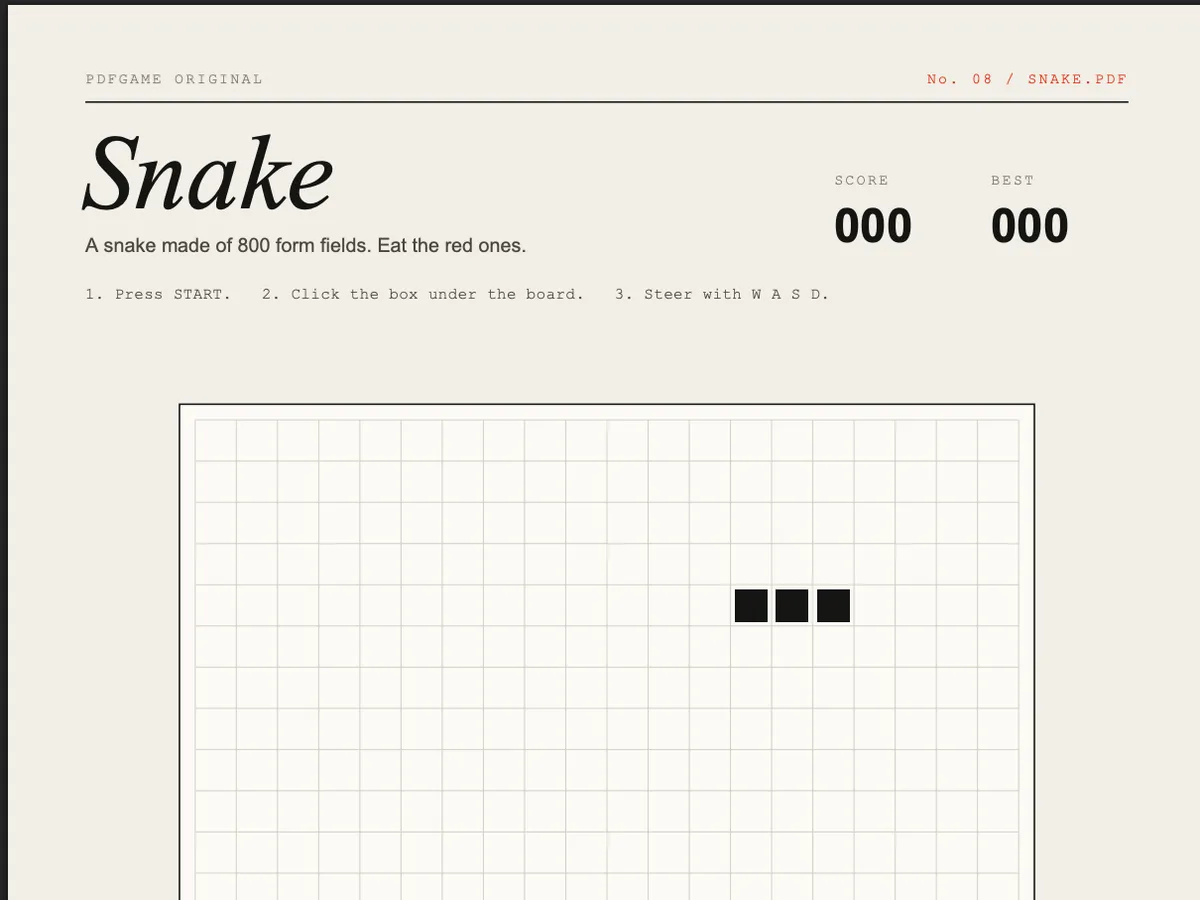
Snake PDF is our own entry in the PDF game canon: the 1970s arcade classic, rebuilt as a single-page PDF. The board is 400 tiny form fields for the snake and another 400 for the food. Every move, a script shows one field at the head and hides one at the tail.
We made it because we wanted a PDF game that is small enough to read — the whole thing is a short Python script that writes PDF objects by hand — and fast enough to feel like Snake rather than a slideshow. It speeds up every five fields you eat.
How to play.
- 01Use desktop Chrome, Edge or Brave. Press the red START button on the page.
- 02Click the controller box under the board. The PDF can only hear keys typed into that box.
- 03Steer with W A S D. You can queue up to three turns ahead, which makes tight U-turns possible.
- 04Eat the red fields. Hitting a wall or your own tail ends the round; your best score is kept until you close the file.
- 05Prefer the mouse? Click the A W S D buttons beside the box instead.
How it works.
When the PDF opens, its OpenAction script looks up all 800 widgets with this.getField() once and caches them in arrays, so the game loop never searches the form again. app.setInterval() calls tick() every 120 ms, dropping towards 60 ms as you score.
Redrawing the whole board each frame would be far too slow, so tick() only touches two fields: the new head becomes visible and the old tail is hidden. That is the main trick that keeps a PDF game smooth — draw the difference, never the frame.
The controller is a text field with a keystroke (/K) action. PDFium passes each typed character as event.change; the script turns W A S D into a direction queue. The typed text is drawn in the same colour as the box, so it reads as a pad, not an input.
Tips.
- Turn early: the move queue lets you press two keys in quick succession for a U-turn.
- Hug the walls in the early game and leave the middle open for later.
- If keys stop responding you've clicked outside the box — click it again.
- Pause with P before switching windows; the timer keeps running otherwise.
- Download the file and open it straight from your desktop in Chrome for the snappiest frame rate.
Where it runs.
| Viewer | Status |
|---|---|
Chrome / Edge / Brave / Arc (desktop) Built and tested against PDFium, Chrome's PDF engine. | Works |
Firefox (PDF.js) PDF.js runs a subset of the scripting API; timers and field visibility may misbehave. | Partial |
Safari (macOS) Safari's PDF view doesn't execute PDF JavaScript. | No |
Adobe Acrobat Reader Should run — Acrobat invented this API — but we test in Chrome. | Partial |
iPhone / iPad Mobile PDF viewers ignore PDF JavaScript. | No |
Android Chrome Opens PDFs without a script engine. | No |
Snake PDF, answered.
Q1Is Snake PDF a real PDF file?
Yes — a 180 KB, single-page, standard PDF 1.7 file. Open it in any viewer; viewers with PDF JavaScript (Chrome, Edge, Brave) make it playable.
Q2Can I download Snake PDF?
Yes. Use the download button on this page and open the file in Chrome or Edge. It works offline.
Q3Why doesn't it work on my phone?
Mobile PDF viewers on iOS and Android don't run PDF JavaScript, so the board stays still. Use a desktop browser, or try our study games, which work on phones.
Q4How was it made?
With a short Python script that writes the PDF objects directly — no libraries. The game's JavaScript is stored uncompressed, so you can open the downloaded PDF in a text editor and read every line.
Q5Is it safe to open?
It only uses the viewer's form and timer APIs. It makes no network requests and can't touch your files — open the PDF in a text editor to read the script yourself.