What is Minesweeper PDF?
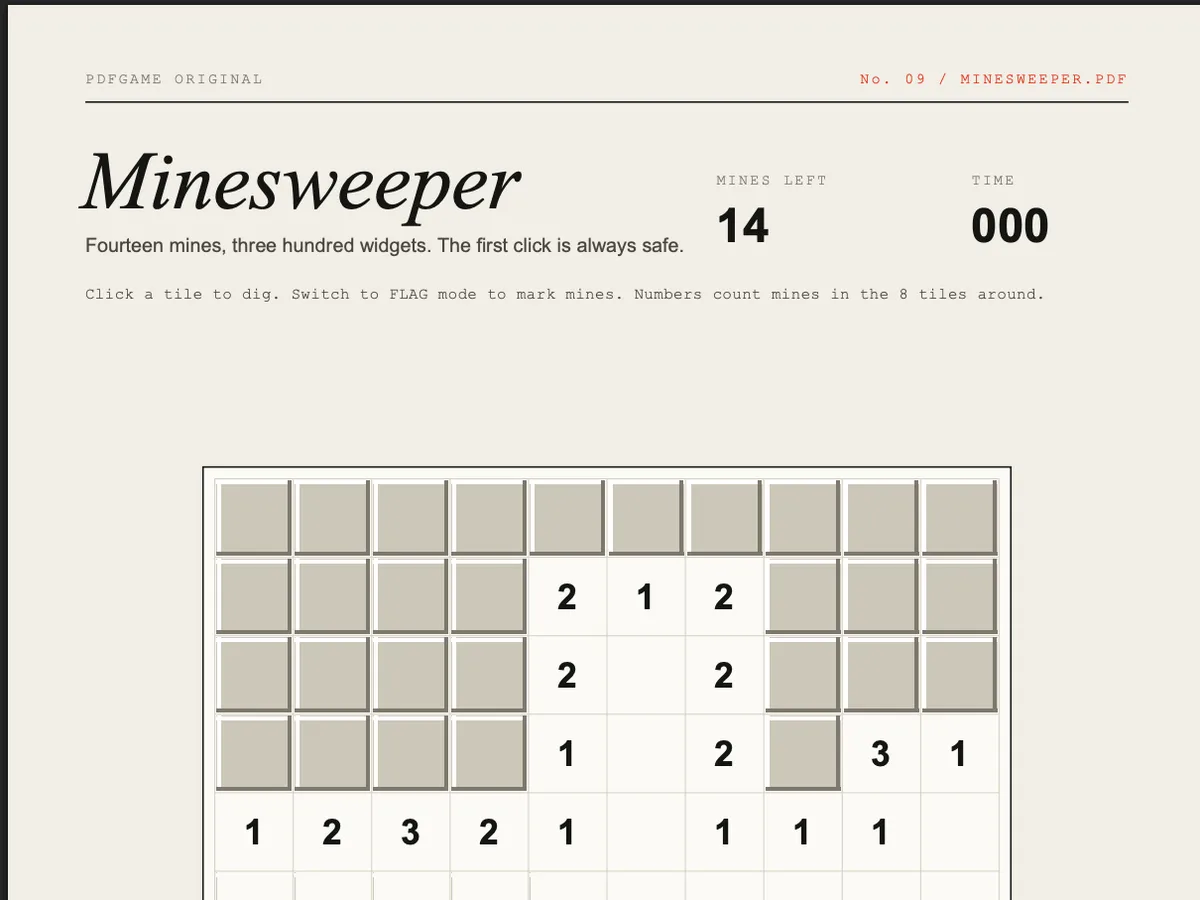
Minesweeper PDF is a complete game of Minesweeper — ten by ten tiles, fourteen mines — inside one PDF page. Unlike most PDF games it needs no keyboard at all: everything is a click, which makes it the most relaxed game in the collection.
It is a PDFGame original. Each tile is three widgets stacked on top of each other: a number underneath, a raised cover that you click, and a flag that replaces the cover when you mark a mine.
How to play.
- 01Open it in desktop Chrome, Edge or Brave. Click any tile — the first click is always safe and opens an area.
- 02Each number tells you how many of the eight neighbouring tiles hide a mine.
- 03Press the DIG button to switch to FLAG mode, then click tiles you're sure are mines. Click a flag again to remove it.
- 04Uncover every safe tile to win. The clock in the corner times you.
How it works.
Mines are only placed after your first click, avoiding the tile you chose and its neighbours — the same courtesy modern Minesweeper gives you. Revealing an empty tile runs an iterative flood fill that opens the whole empty region and its numbered border in one go.
Digging hides the cover widget so the read-only number field beneath shows through. Flags are a separate push button that takes the cover's place rather than sitting on top of it: PDFium paints the focused widget last, so an overlapping flag would vanish under the button you just clicked.
The timer is an app.setInterval() that updates a text field once a second. The DIG/FLAG switch is two buttons in the same spot, one hidden at a time — PDF scripts can't reliably change a button's caption, but they can always change its visibility.
Tips.
- Start in a corner or the middle; the first click opens a safe patch either way.
- A 1 touching exactly one covered tile means that tile is a mine — flag it.
- Once a number's mines are all flagged, every other neighbour is safe to dig.
- Flag only when sure. Flags are a memory aid, not a requirement to win.
- The 1-2-1 pattern along a wall: the tiles next to the 1s are mines, the one by the 2 is safe.
Where it runs.
| Viewer | Status |
|---|---|
Chrome / Edge / Brave / Arc (desktop) Built and tested against PDFium, Chrome's PDF engine. | Works |
Firefox (PDF.js) PDF.js runs a subset of the scripting API; timers and field visibility may misbehave. | Partial |
Safari (macOS) Safari's PDF view doesn't execute PDF JavaScript. | No |
Adobe Acrobat Reader Should run — Acrobat invented this API — but we test in Chrome. | Partial |
iPhone / iPad Mobile PDF viewers ignore PDF JavaScript. | No |
Android Chrome Opens PDFs without a script engine. | No |
Minesweeper PDF, answered.
Q1Can I play Minesweeper PDF on a phone?
Not in a mobile PDF viewer — they don't run PDF scripts. Use a desktop browser such as Chrome or Edge.
Q2Can I download Minesweeper PDF?
Yes, use the download button. Open the file in Chrome or Edge to play offline.
Q3Is there right-click flagging?
PDF viewers don't pass right-clicks to scripts, so flagging uses the DIG / FLAG switch below the board.
Q4Why is the first click always safe?
The mines are laid after your first click, avoiding that tile and its neighbours.
Q5Who made it?
PDFGame. The script is stored as plain text inside the PDF, so you can read exactly how it works.