What is 2048 PDF?
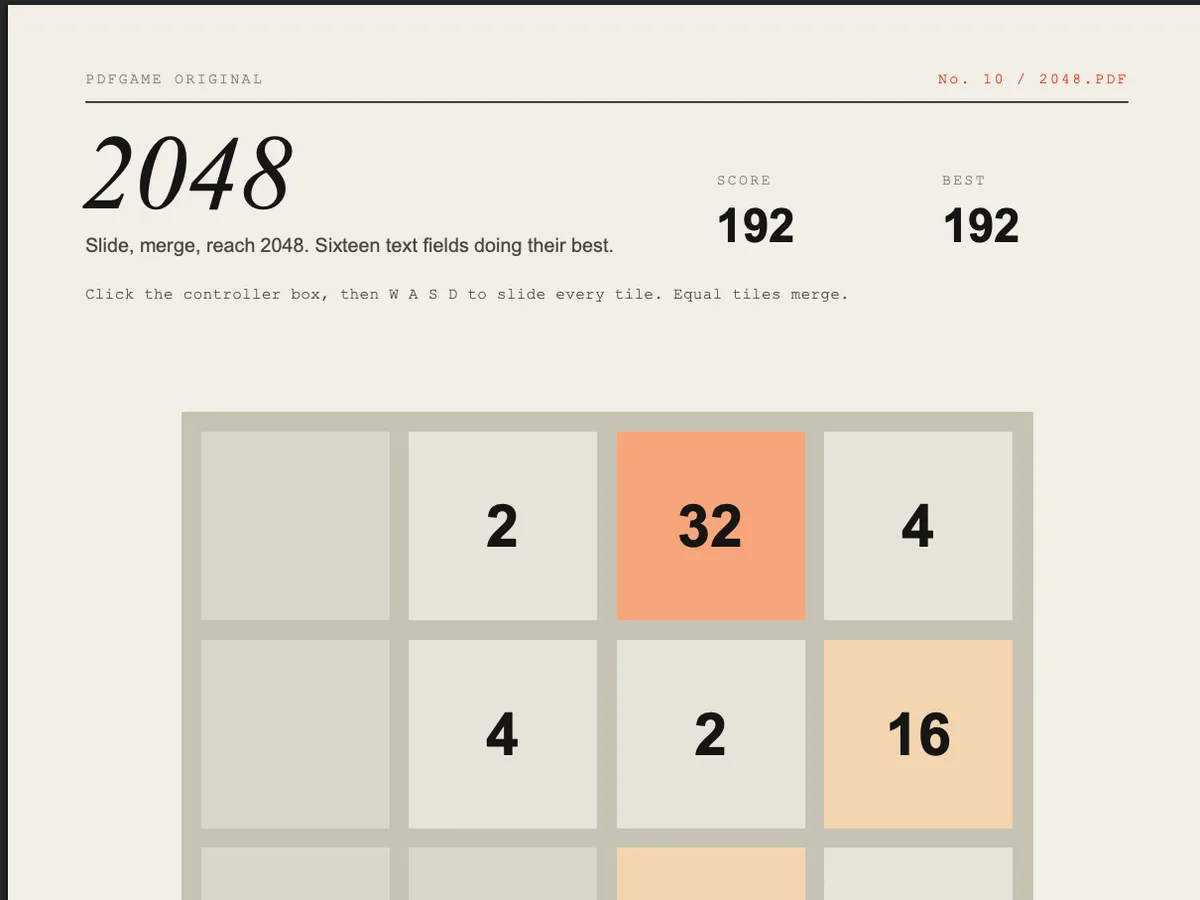
2048 PDF is the sliding-tile puzzle in a PDF: slide the board, equal numbers merge, a new 2 or 4 appears, repeat until you reach 2048 or run out of moves. It is a PDFGame original and the lightest file in the collection at about 35 KB.
The board looks like it changes colour as tiles grow. It doesn't — PDF scripts can't recolour a field in Chrome — so every cell owns six hidden colour swatches and the script shows the right one under a transparent number.
How to play.
- 01Open in desktop Chrome, Edge or Brave and click the controller box under the board.
- 02Type W, A, S or D to slide every tile in that direction. Or click the A W S D buttons.
- 03Two tiles with the same number merge into their sum. Your score goes up by the merged value.
- 04Reach 2048 to win — you can keep going. When no move changes the board, it's game over.
How it works.
The board state is a 4×4 array. A move reads each row or column in the slide direction, drops the zeros, merges equal neighbours once, pads with zeros and writes it back — the standard 2048 algorithm, about twenty lines of PDF JavaScript.
Repainting is lazy: the script remembers which colour band each cell is showing and only flips visibility when the band changes, and only rewrites a number field when its text differs. PDFium redraws a field's appearance stream on every value change, so skipping no-op writes is what keeps moves instant.
Colour bands go from paper (2–4) through sand, peach and orange to PDFGame red (512–1024) and a lime for 2048 and beyond.
Tips.
- Pick a corner and keep your biggest tile there. Most good games use only three directions.
- Keep the row along your corner full so it can't shift unexpectedly.
- Build in a snake pattern: big to small along the edge, then turn back on the next row.
- Don't chase merges in the middle; they scatter your large tiles.
- When stuck, the direction you've avoided all game is usually the one that ruins things — use it last.
Where it runs.
| Viewer | Status |
|---|---|
Chrome / Edge / Brave / Arc (desktop) Built and tested against PDFium, Chrome's PDF engine. | Works |
Firefox (PDF.js) PDF.js runs a subset of the scripting API; timers and field visibility may misbehave. | Partial |
Safari (macOS) Safari's PDF view doesn't execute PDF JavaScript. | No |
Adobe Acrobat Reader Should run — Acrobat invented this API — but we test in Chrome. | Partial |
iPhone / iPad Mobile PDF viewers ignore PDF JavaScript. | No |
Android Chrome Opens PDFs without a script engine. | No |
2048 PDF, answered.
Q1Can I play 2048 PDF offline?
Yes. Download it with the button on this page and open it in Chrome or Edge — no internet needed.
Q2Why do I have to click the box first?
PDF scripts only receive keys typed into a form field. The controller box is that field; the typed letters are hidden.
Q3Does it work on mobile?
No — mobile PDF viewers don't run PDF JavaScript. Use a desktop browser.
Q4Is the best score saved?
Only while the file is open. PDF viewers don't give scripts storage that survives closing the document.
Q5Who made 2048 PDF?
PDFGame, after Gabriele Cirulli's open-source 2048 (2014). The PDF's game script is plain text you can read in any editor.